No Thursday huddle this week. Most of us had other commitments, between travelling and away days, so we ran dev-time async instead. It turned out to be quite effective. I used the time to review a few PRs, prepare some upcoming work, and give the main release a proper look before it went to production. A fair bit landed, so here's the write-up.
Anyone can start a snapshot
This is the one people have asked for most. Until now, only a team's lead could start a snapshot, which meant a team's check-in rhythm depended on one person remembering. Now any member of the team can do it, so teams aren't waiting on their lead.
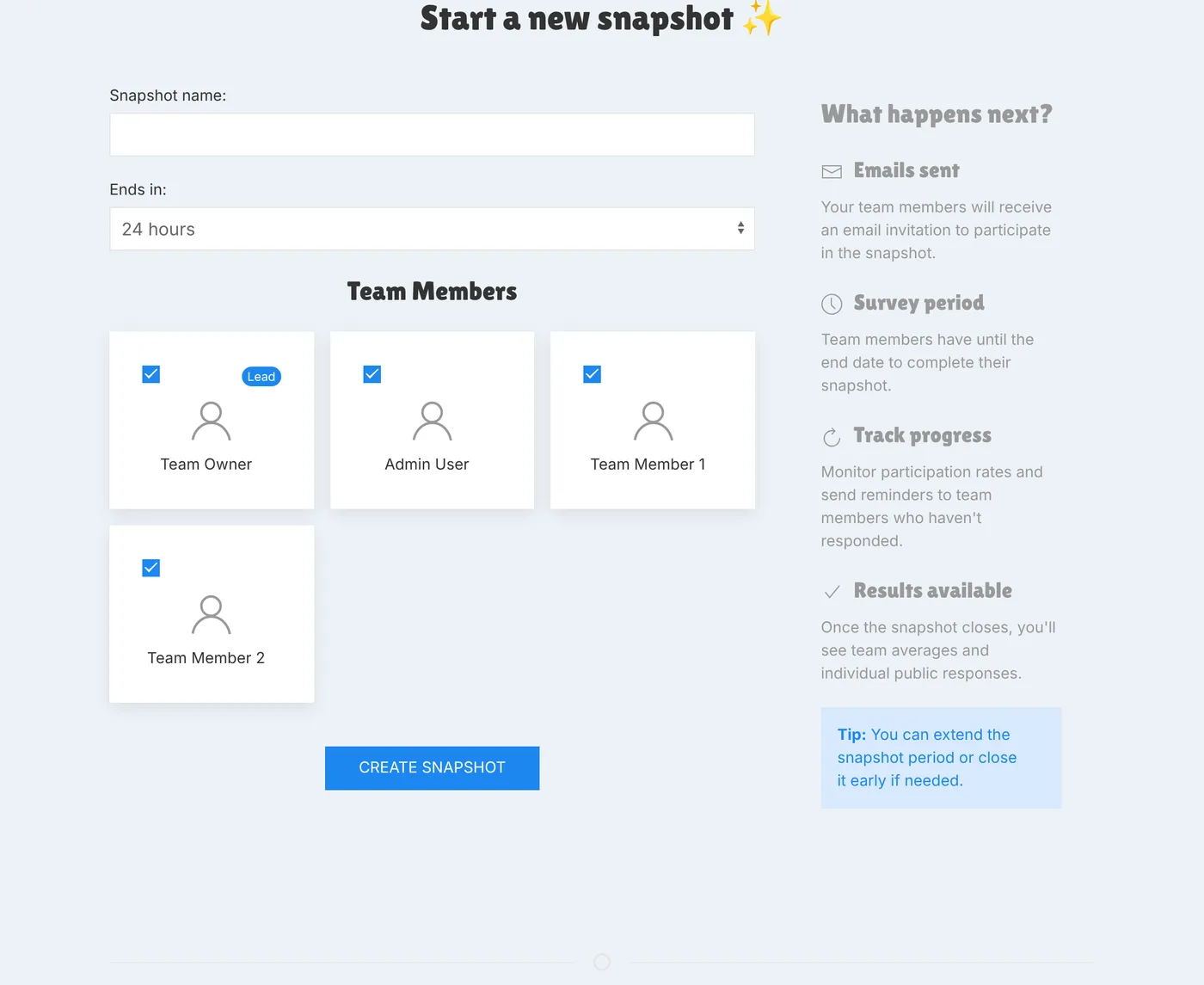
The New Snapshot tab on the team page and the "start a snapshot" shortcut on your home screen both show up for members now.
The gap a second pair of eyes found
Here's a good one for the "why we review things twice" file. The buttons were all in place for members, but the code behind the send action still only accepted the team owner, so a member filling in the form would have hit an error instead of starting a snapshot. It was a second pass from Claude Code that spotted the gap in the logic. Once it was identified, the fix was quick: the check is now "are you the owner or a member of this team?". Luckily it was caught before the feature was available to anyone.
Copy results, straight into your chat
Once a snapshot closes, there's now a Copy results button on the heatmap tab. One click puts a tidy plain-text summary on your clipboard: the snapshot name, each petal's average, the overall average, and the change since the previous snapshot. Paste it into Slack, Teams, WhatsApp, or whichever app your team prefers.
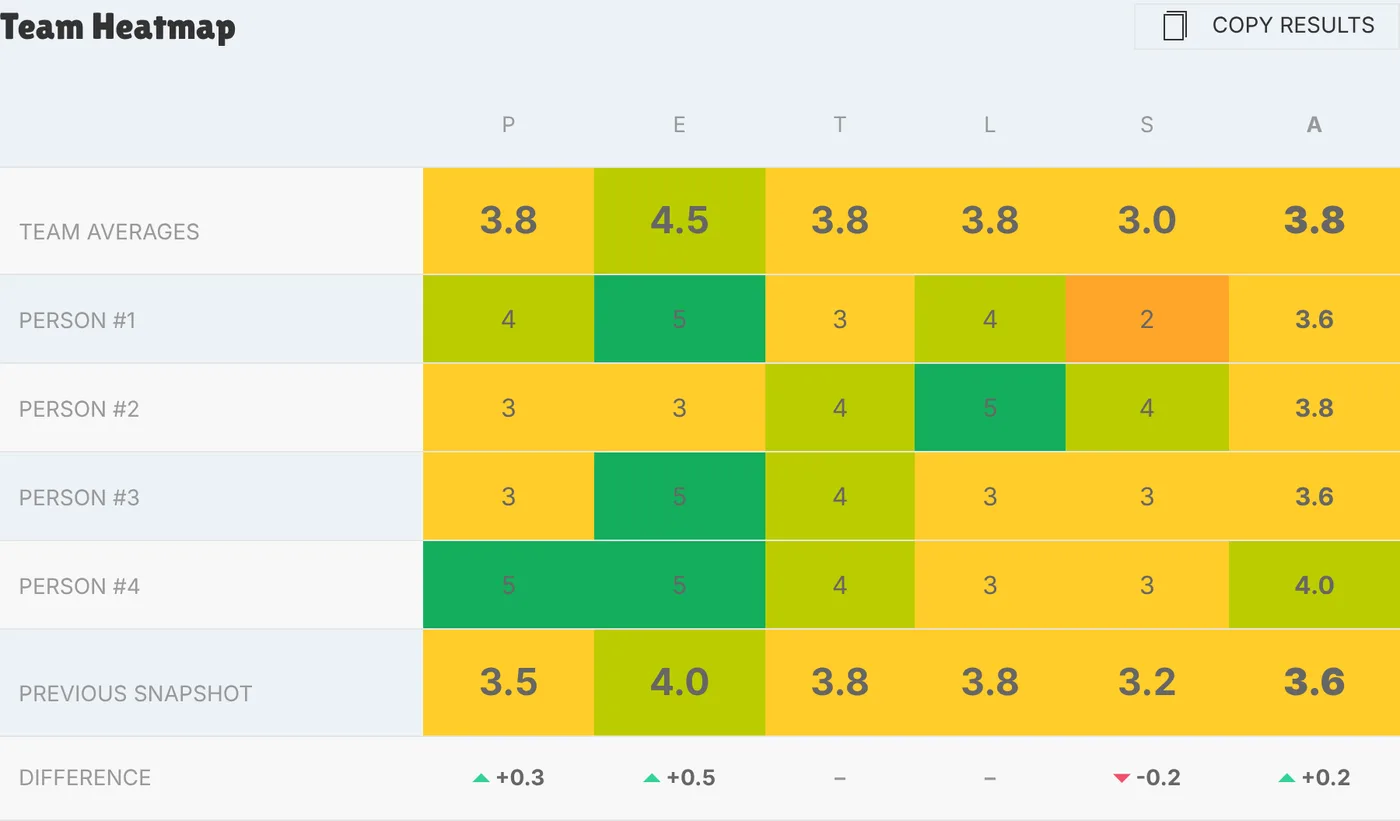
Here's what lands on your clipboard:
Engineering Team Weekly Snapshot - Week 44 - Engineering Team
Productivity: 3.8
Enjoyment:    4.5
Teamwork:     3.8
Learning:     3.8
Serenity:     3.0
-----
AVERAGE:      3.8
(Difference: +0.2)
It's another convenience step for teams running async snapshots. It doesn't include the heatmap detail, just the averages, but that's enough to get the team thinking and the conversation flowing in the place you already chat.
A security tidy-up
Not glamorous, but important. Over the last couple of days we:
- Updated a batch of dependencies to pick up fixes for known vulnerabilities, including a critical bug in a JSON Web Token library and some of the cryptography libraries underneath it. Dependabot flagged these on our GitHub repo, and they were quite easy to fix with Claude Code's help. We've also set up a weekly email so we can keep a closer eye on them.
- Changed the Continue with Google and Continue with Microsoft buttons so they start sign-in with a protected form submission rather than a plain link. It looks and feels exactly the same to you, but it closes off a class of "someone tricks your browser into starting a login" attacks.
Some exciting sign-ups
Two big-name brands signed up this week. I'll hold off on naming them for now, but it's really exciting to see more well-known companies exploring team health with PETALS.
A pub chat with Ollie from Huel
Not code, but it was a highlight of the week. On Tuesday I met up in person with Ollie from Huel, and we ended up in a pub talking about PETALS (a lot). It's one thing to read feedback and usage numbers, and another to sit across a table and hear how a team actually uses the thing. It was a really interesting conversation, and I came away with plenty to think about.
We're planning to put something out in the coming weeks to share their story, so keep an eye out for that.
Behind the scenes
There were also some process updates, a documentation review, and some admin tooling updates to help us manage teams.
As always, if there's something you'd like to see, or something that didn't work how you expected, reply to any PETALS email and it comes straight to us.